OpenRouter API
Access hundreds of cloud AI models through OpenRouter.
What is OpenRouter?
OpenRouter is an API service that provides unified access to models from:
- OpenAI (GPT-4, GPT-4o)
- Anthropic (Claude 3, Claude 3.5)
- Google (Gemini Pro, Gemini Ultra)
- Meta (Llama 3.1 405B)
- And many more
Setup
Get an API Key
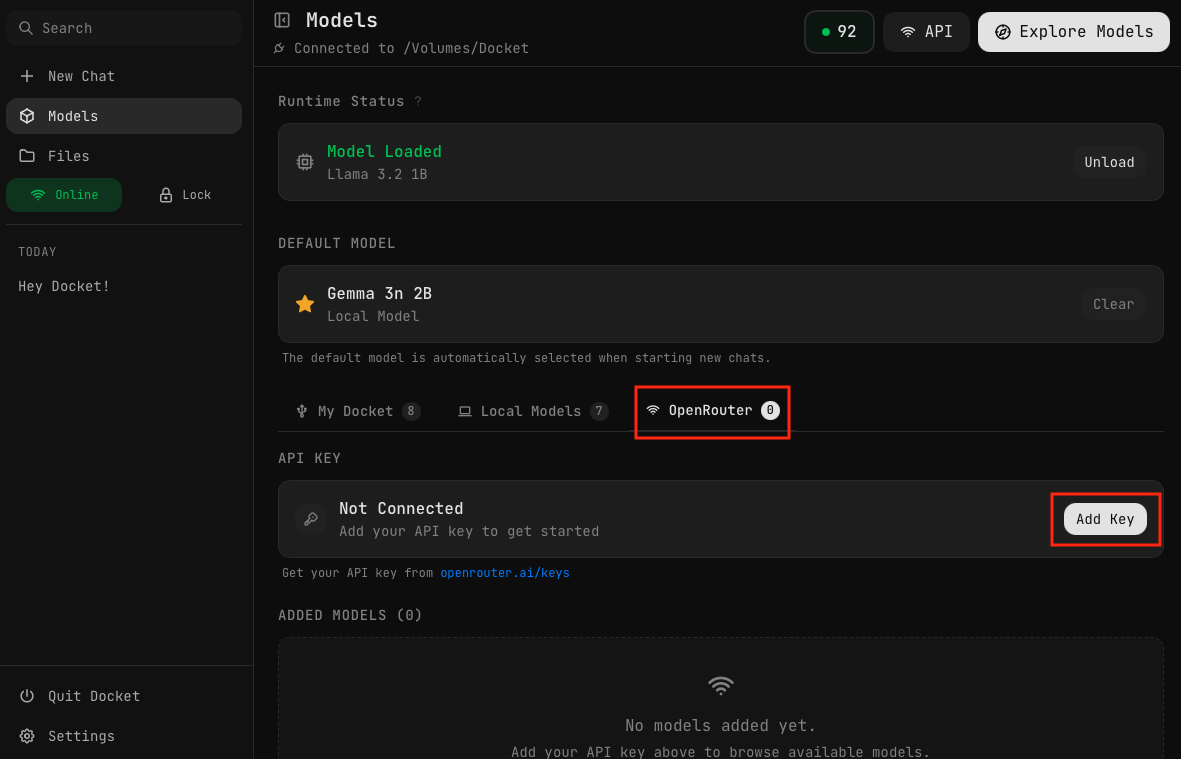
- Visit openrouter.ai/keys to create an API key
- Copy your API key
- In Docket, go to the OpenRouter tab in Models
- Click "Add Key"
- Paste your key and save
Your key is encrypted and stored securely.
Using OpenRouter requires Online mode. Make sure the Offline toggle in the sidebar is set to Online before attempting to use API models.
Browsing Models
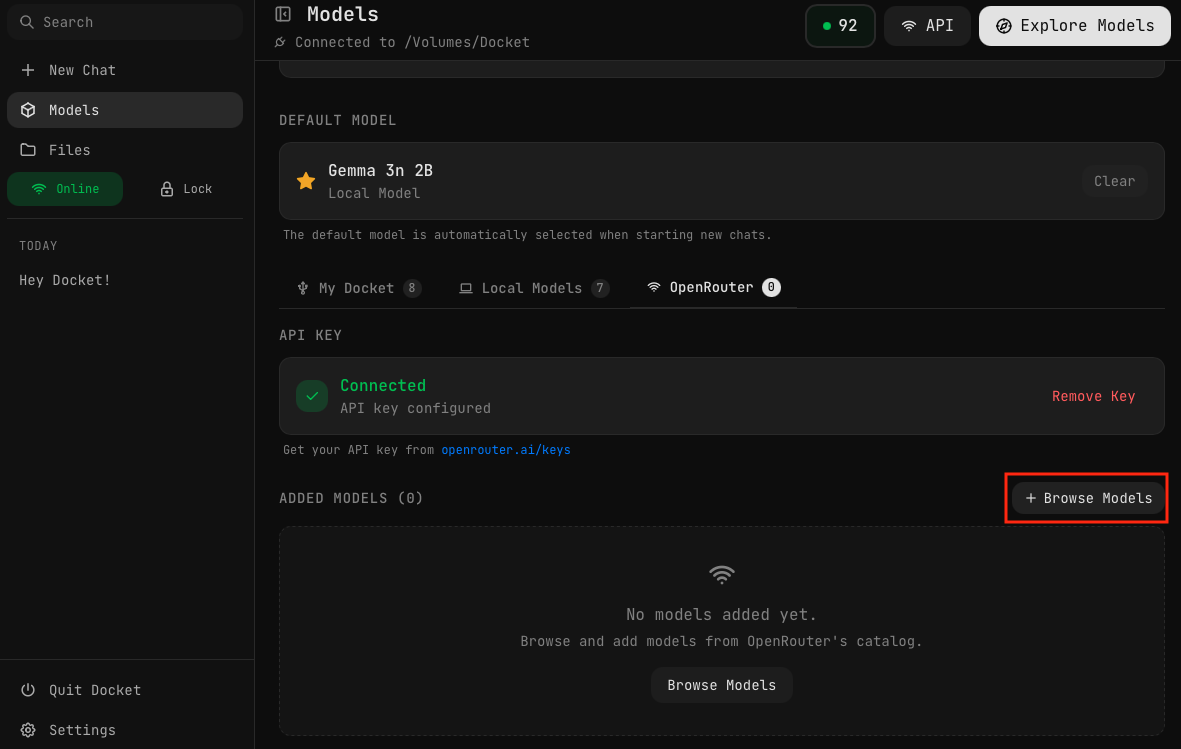
Once your API key is connected, click the "Browse Models" button to see all available OpenRouter models.
Searching and Adding Models
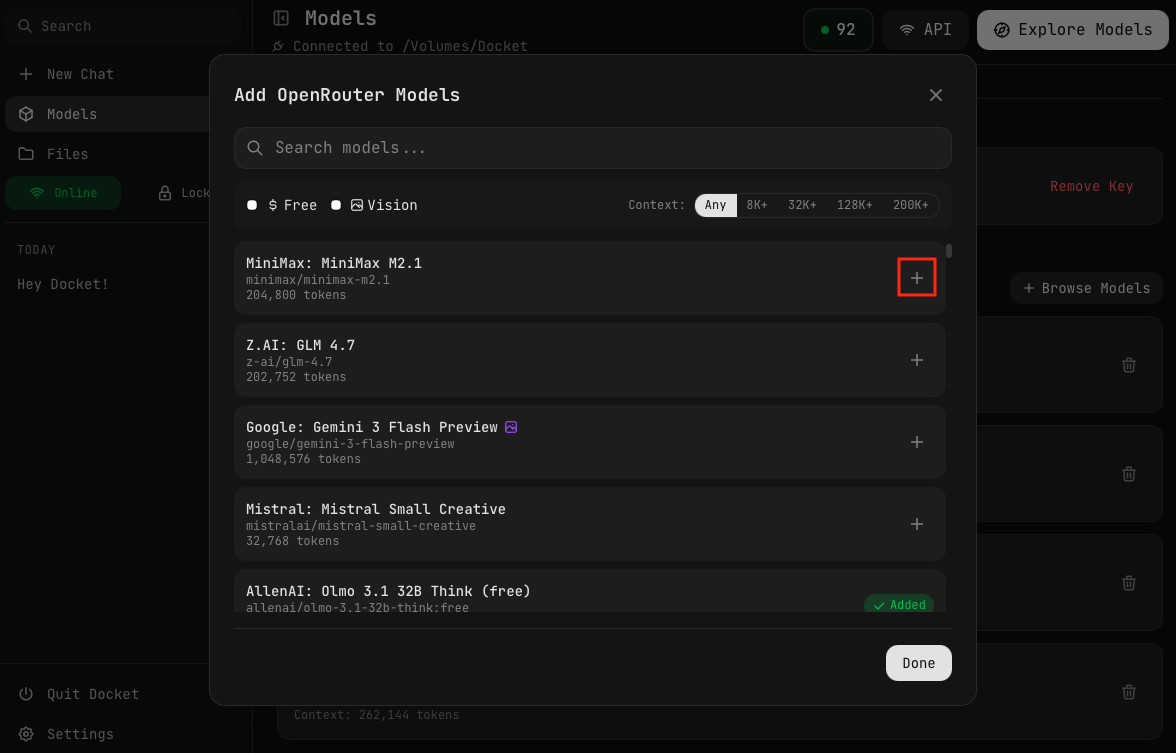
In the model browser you can:
- Search for models by name
- Sort models by different criteria
- Click the + button to add models to your Docket
Free Models
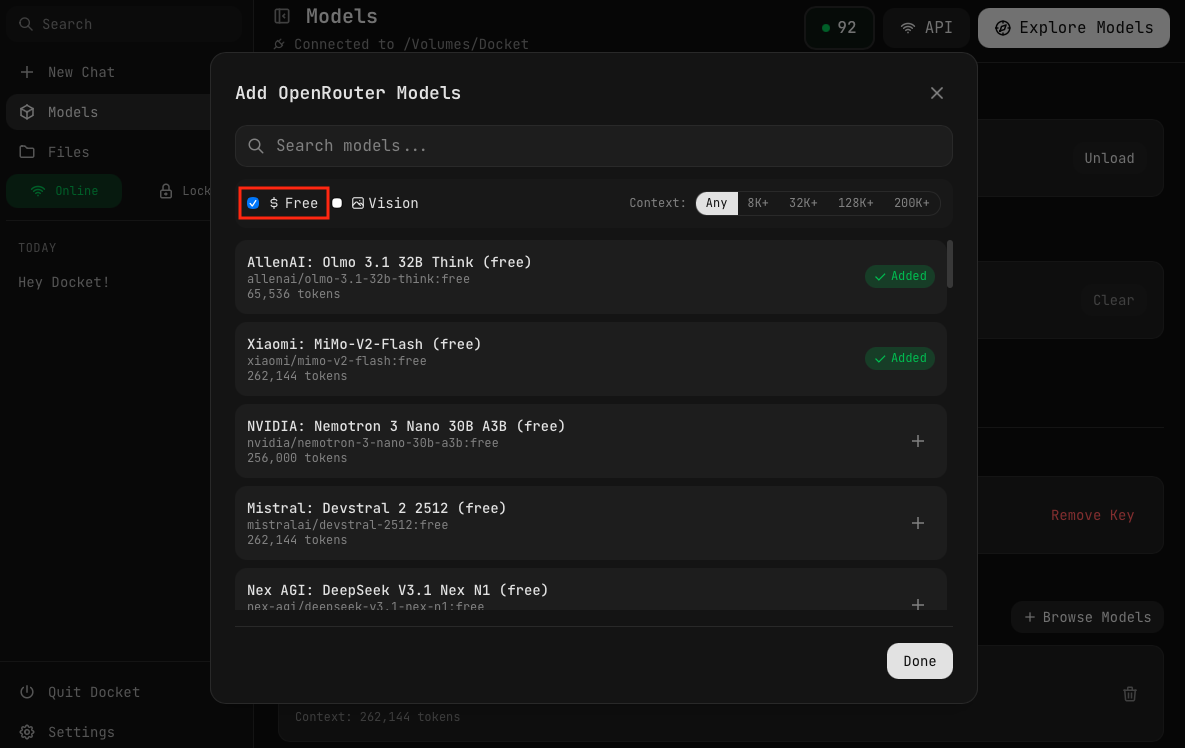
Click the "$ Free" filter to show only free models. These models can be used at no cost — perfect for trying out OpenRouter or for tasks where you don't need premium models.
Using OpenRouter Models
Selecting an API Model
- Choose an OpenRouter model from your model list
- No loading required — API models are always ready
- Start chatting
Selecting from Chat
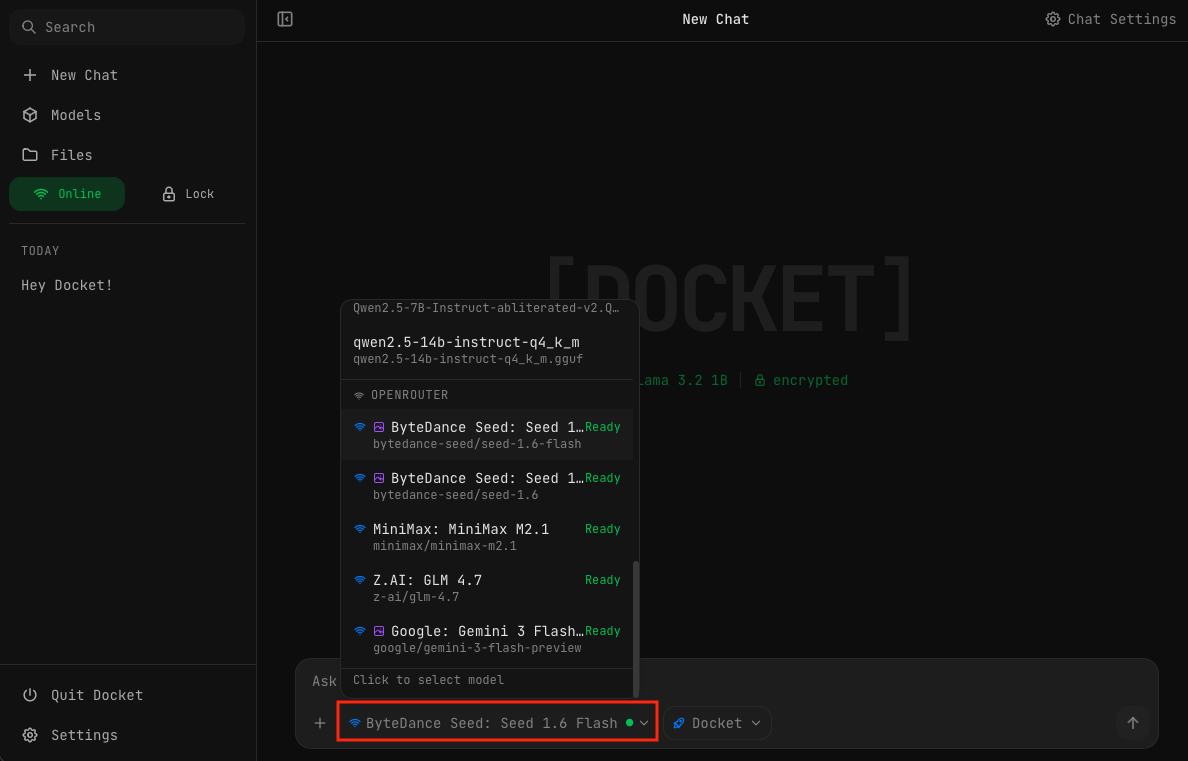
You can also select OpenRouter models directly from the chat interface by clicking the active model in the input bar. Your added OpenRouter models appear under the OPENROUTER section in the dropdown.
OpenRouter models only work in Online mode. If you're in Offline mode, you'll need to switch to Online before using API models.
Pricing
OpenRouter charges per token used:
- Input tokens (your messages)
- Output tokens (AI responses)
Prices vary by model. Check openrouter.ai/models for current pricing.
Popular Models
| Model | Provider | Best For |
|---|---|---|
| GPT-4o | OpenAI | General, vision, coding |
| Claude 3.5 Sonnet | Anthropic | Analysis, writing, coding |
| Gemini Pro | General purpose | |
| Llama 3.1 405B | Meta | Complex reasoning |
Vision Models
These models can analyze images:
- GPT-4o / GPT-4 Vision
- Claude 3 (Sonnet, Opus, Haiku)
- Gemini Pro Vision
Managing API Models
Remove Models
- Right-click on an OpenRouter model
- Select Remove
- The model is removed from your list
Remove API Key
- Go to Settings
- Find API Keys
- Click Remove next to OpenRouter
- All OpenRouter models are also removed
Privacy Considerations
When using OpenRouter:
- Your messages are sent to cloud servers
- Data is processed by the model provider
- Check each provider's privacy policy
- Consider using local models for sensitive data
Use local models for private conversations and API models when you need capabilities beyond local hardware.
Troubleshooting
"Network access disabled"
Enable network access using the Offline toggle in the sidebar.
"Invalid API key"
- Check that you copied the full key
- Verify the key is still active on OpenRouter
- Try generating a new key
"Rate limited"
- You've hit OpenRouter's rate limits
- Wait a moment and try again
- Consider upgrading your OpenRouter plan