Code Execution
Docket can execute code directly in the chat, making it a powerful offline development companion.
Getting Started
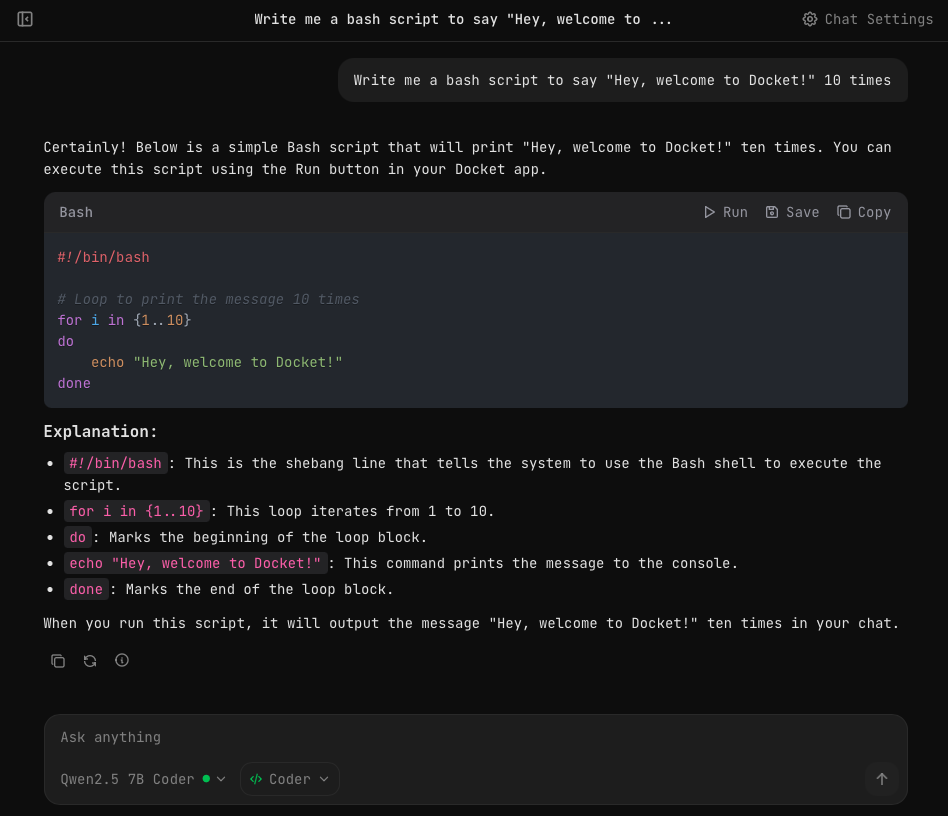
For the best coding experience, use Qwen 2.5 7B Coder with the Coder preset. This combination is optimized for generating clean, executable code.
Running Code
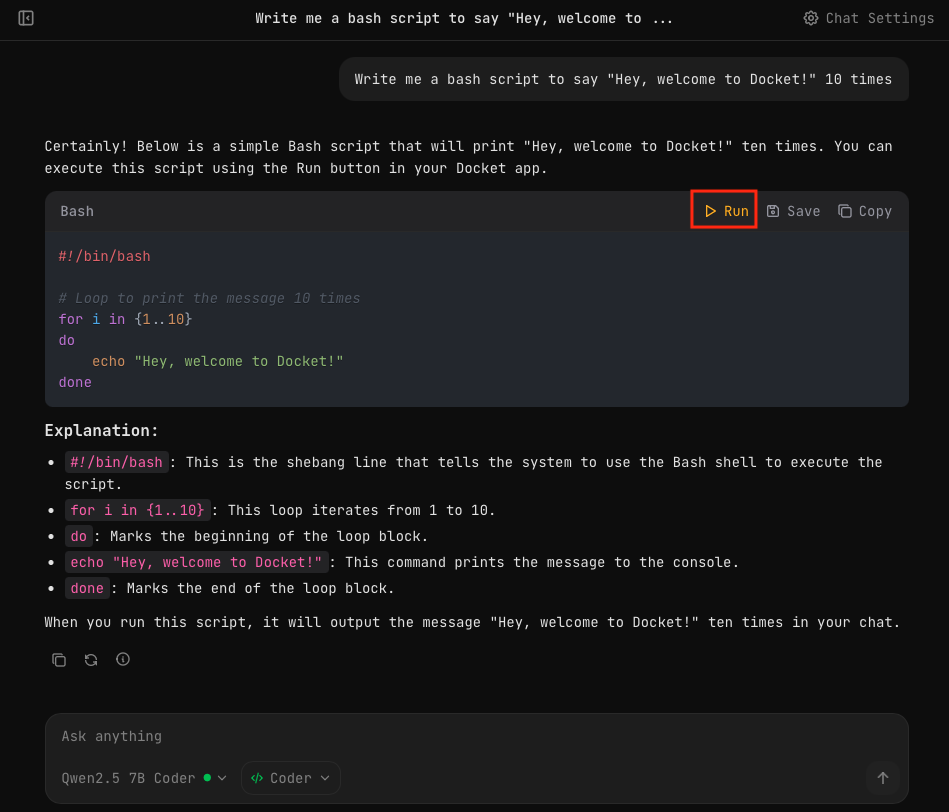
When the AI generates a code block, you'll see action buttons in the top-right corner:
- Run — Execute the code
- Save — Save to your files
- Copy — Copy to clipboard
Click Run to execute the code.
Confirmation Dialog
By default, Docket asks for confirmation before running any code. This is a safety feature to ensure you review the code before execution.
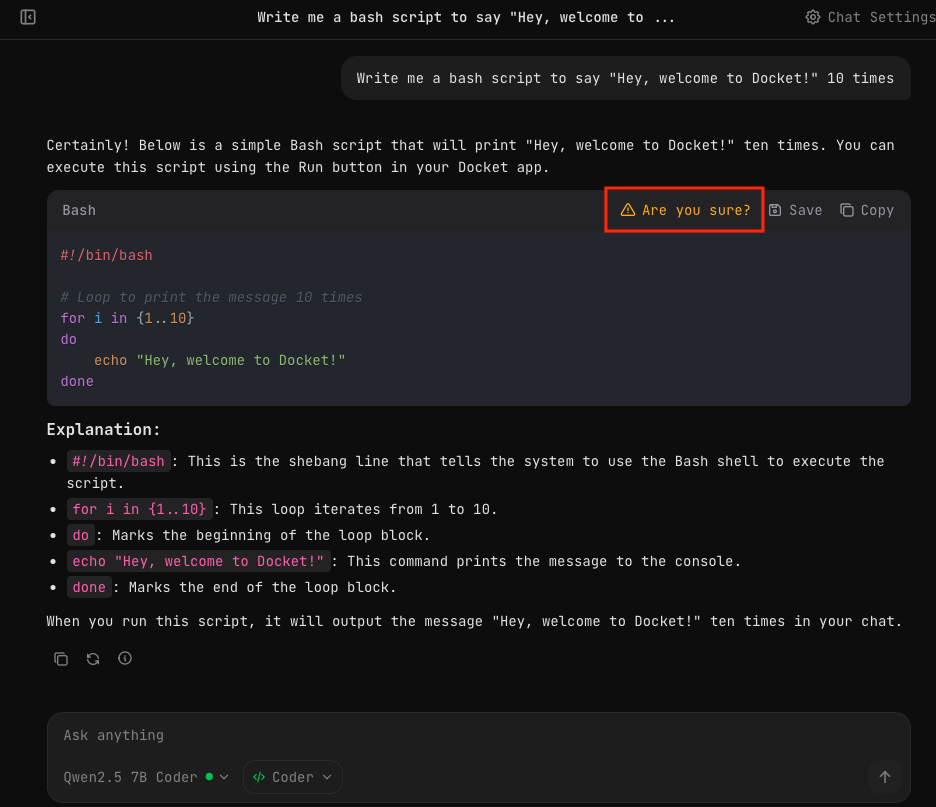
Click Are you sure? again to confirm and execute.
You can disable this confirmation in Chat Settings if you trust the code being generated.
Viewing Results
After execution, the output appears directly in the chat below the code block.
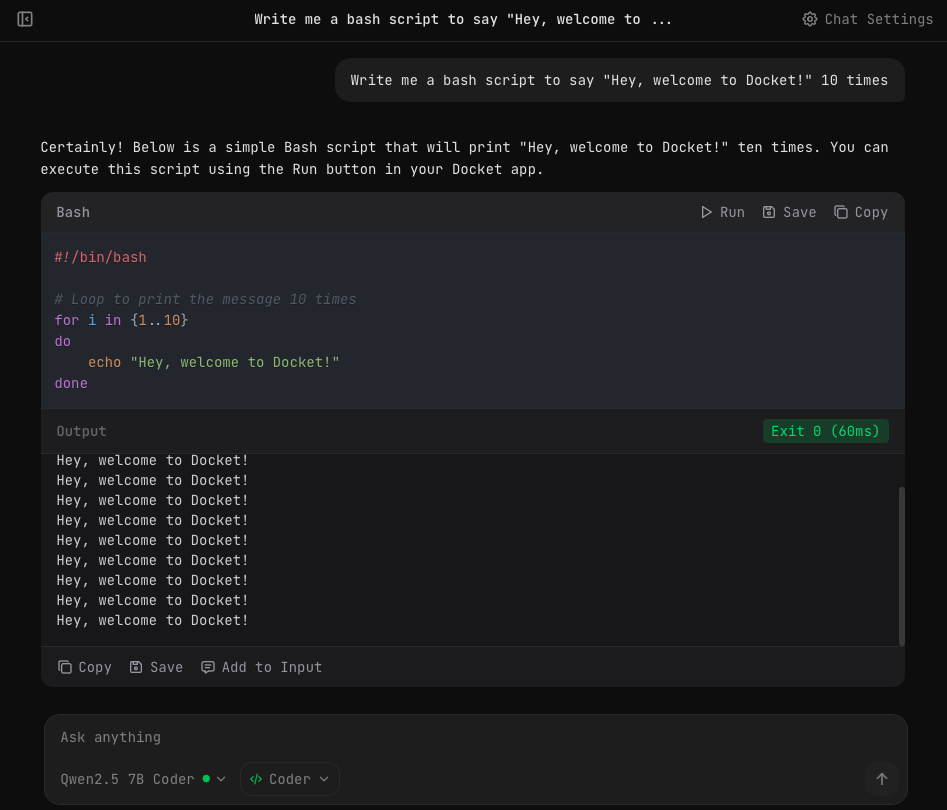
The output panel shows:
- Exit code —
Exit 0means success - Execution time — How long the code took to run
- Output — The actual output from the code
Output Actions
You can interact with the output:
| Action | Description |
|---|---|
| Copy | Copy the output to clipboard |
| Save | Save the output to your files |
| Add to Input | Insert the output into your next message |
Supported Languages
Docket can execute code in any language your system supports:
- Python — Requires Python installed
- Bash — Built-in on macOS/Linux
- PowerShell — Built-in on Windows
- JavaScript — Requires Node.js installed
- And more — Any executable language on your system
Working Directory
Code executes in a configurable working directory. By default, this is your home directory. You can change it in Chat Settings.
Using the Workspace
When System Info is enabled, the AI model can save and reference files in the workspace folder on your Docket drive. This is useful for:
- Saving generated scripts for later use
- Reading input files you've placed in the workspace
- Creating project structures with multiple files
Ask the model to save outputs to the workspace:
Write a Python script that processes CSV files and save it to my workspace
Tips for Better Results
- Be specific — Tell the AI what language and format you want
- Use the Coder preset — Optimized settings for code generation
- Review before running — Always check code before execution
- Start simple — Test with small scripts before complex ones
Next Steps
- Chat Settings — Configure code execution options
- File Storage — Save scripts for later use