Exporting Files
Share files from your encrypted vault with others.
Why Export?
When encryption is enabled, your files are protected and not directly accessible. To share a file with someone who doesn't have your vault password, you need to export it.
How to Export
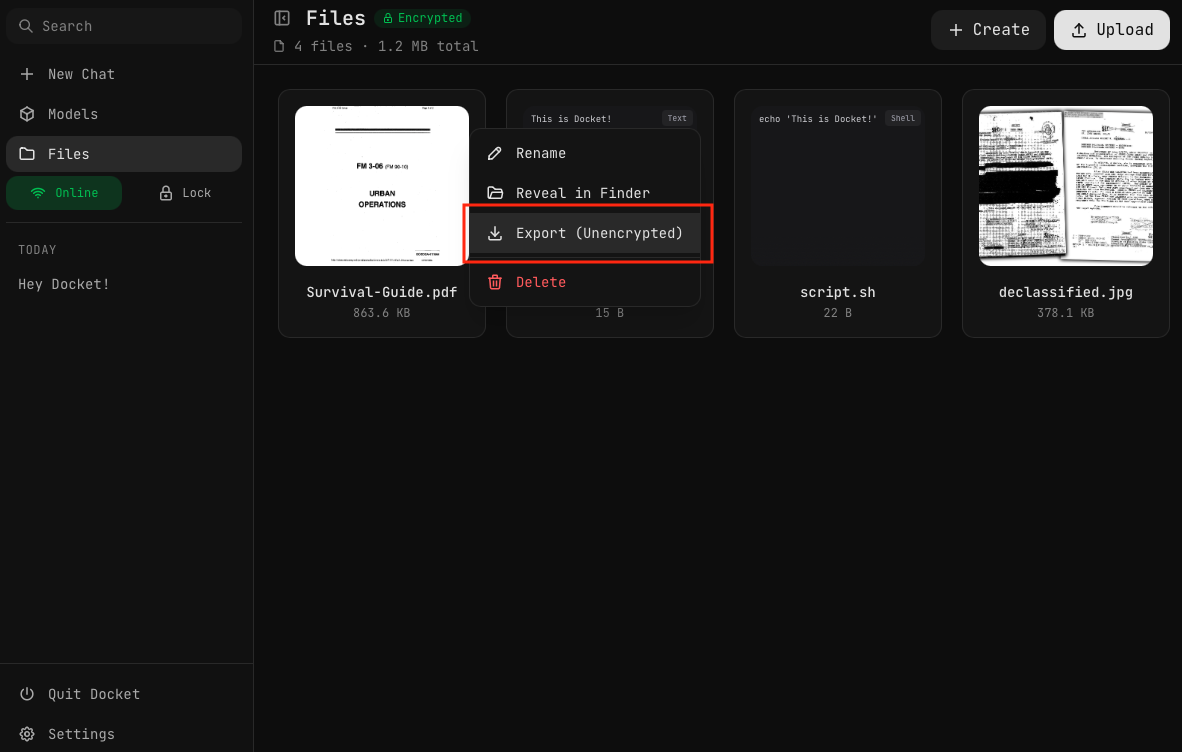
- Open the Files page
- Right-click on a file (or click the menu icon)
- Select Export (Unencrypted)
- The file is decrypted and saved to the exports folder
Export Location
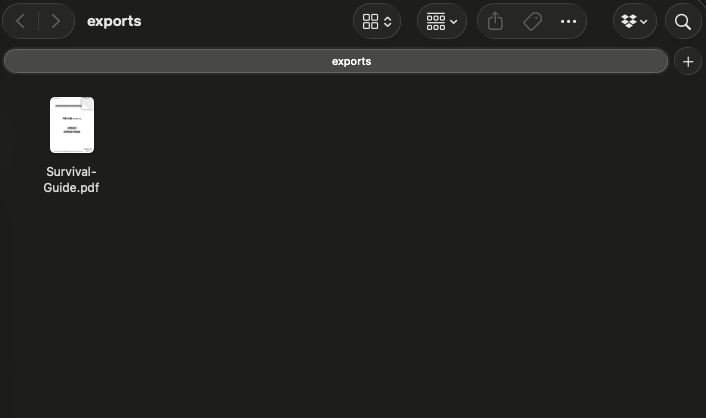
Exported files are saved to the exports folder on your Docket drive.
This folder is not encrypted by design, making files accessible to anyone with physical access to the USB drive.
Managing Exports
View Exported Files
- Go to Settings
- Click Open Exports Folder
- View files in your system file manager
Or navigate directly to the exports folder on your Docket drive.
Delete Exported Files
Exported files can be deleted:
- From your system file manager
- Through Docket's exports management
Security Notes
Exported files are stored in plaintext. They are NOT protected by your vault password.
What's at Risk
- Anyone with physical access to the USB can read exported files
- Exported files remain even after you lock the vault
- File contents and filenames are visible
Best Practices
- Only export what you need — Don't export files unnecessarily
- Delete after sharing — Remove exports when no longer needed
- Be aware of USB location — Don't leave the drive unattended with exports
- Use secure sharing — Consider encrypting files separately for sensitive sharing
Why Not Decrypt Temporarily?
You might wonder why Docket doesn't just decrypt files temporarily for viewing.
Even "temporary" plaintext on disk is risky because:
- Crashes can leave plaintext behind
- SSD wear-leveling can preserve deleted data
- OS indexing (Spotlight, etc.) may cache content
- Backup systems may capture the temporary file
Docket keeps decrypted data in RAM only, except for intentional exports.
The README File
The exports folder contains a README.txt warning:
WARNING: Files in this folder are NOT encrypted.

This folder contains files you have explicitly exported from
your encrypted vault. Anyone with access to this USB drive
can read these files.

Delete files from this folder when you no longer need to
share them.
This serves as a reminder to anyone who browses the drive.